
Time spent, all the way to the invoice
Klepsi is time tracking for professional services firms. One grid per week, projects followed down to the last day of the envelope, activity reports ready to send and the invoice on time spent. Built, hosted and maintained in France.
No credit card. Your instance in a few minutes, your data in your own hands.
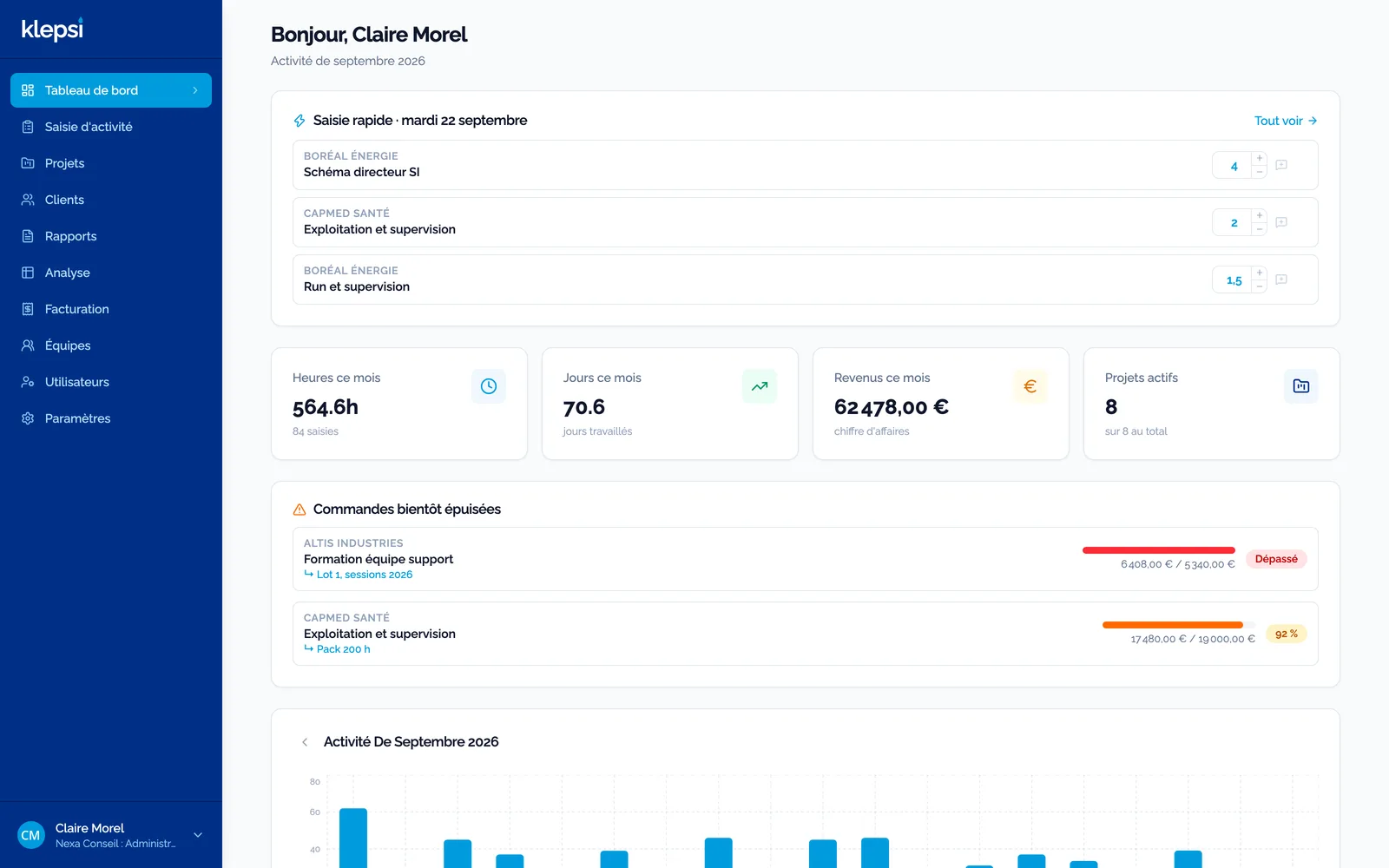
One minute a day, not a Friday chore
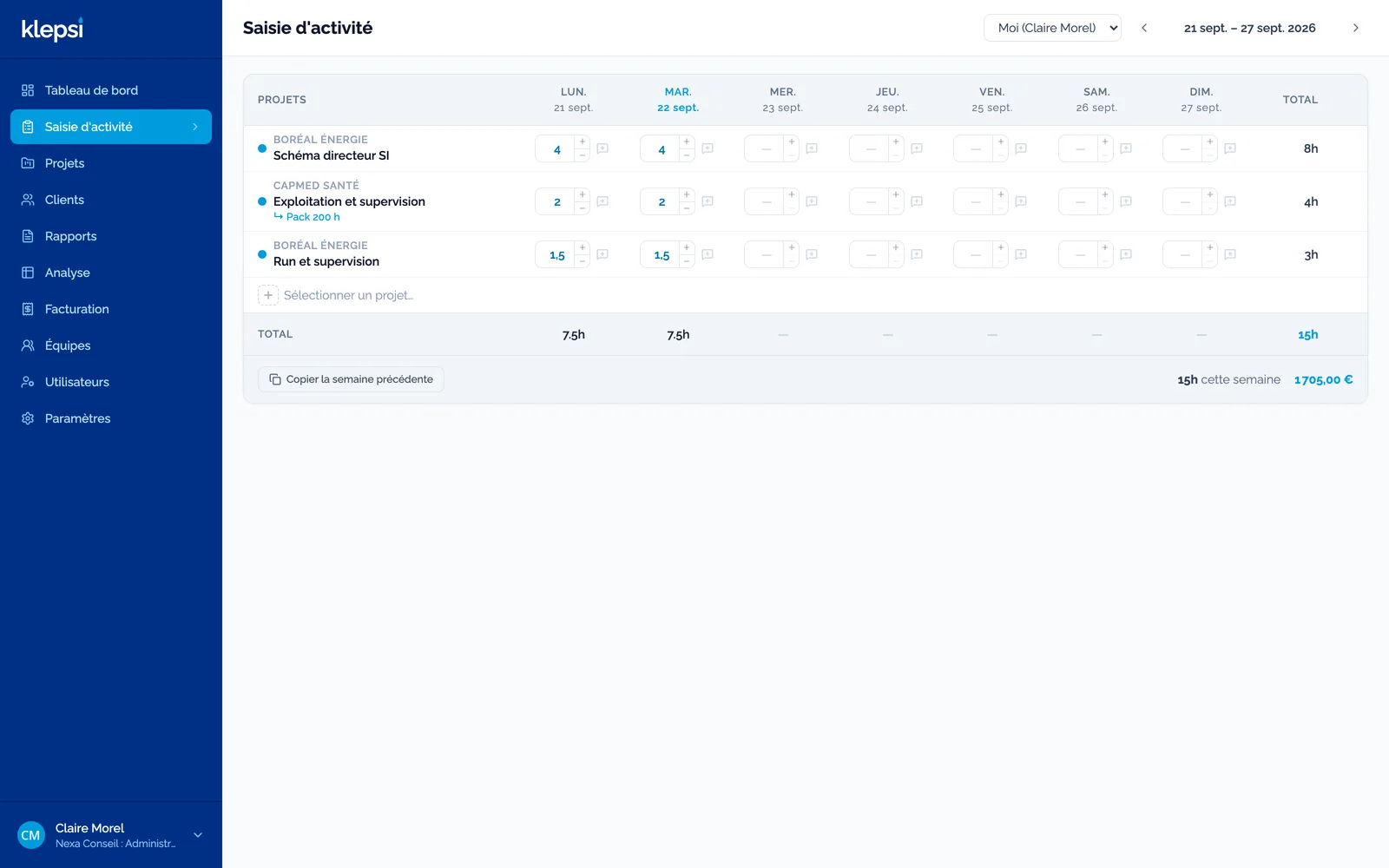
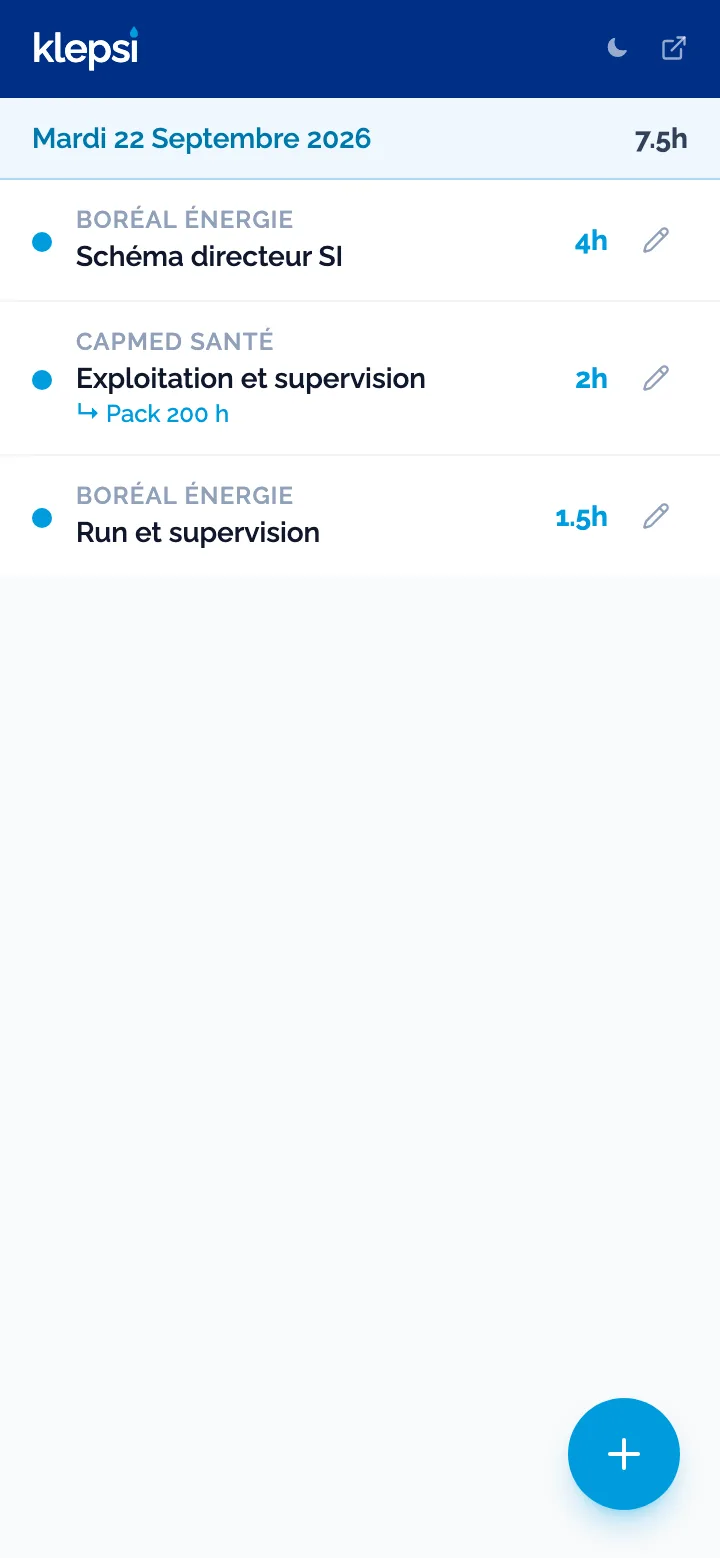
Projects in rows, days in columns, hours typed or clicked. Last week copies over in one click, a comment sits on every entry. On mobile, the day's page installs like an app.
- Entry for yourself or for your team, depending on the role
- Adjustable entry rules: daily cap, required description, lock after N days
- Billed periods lock themselves
Every order followed down to the envelope
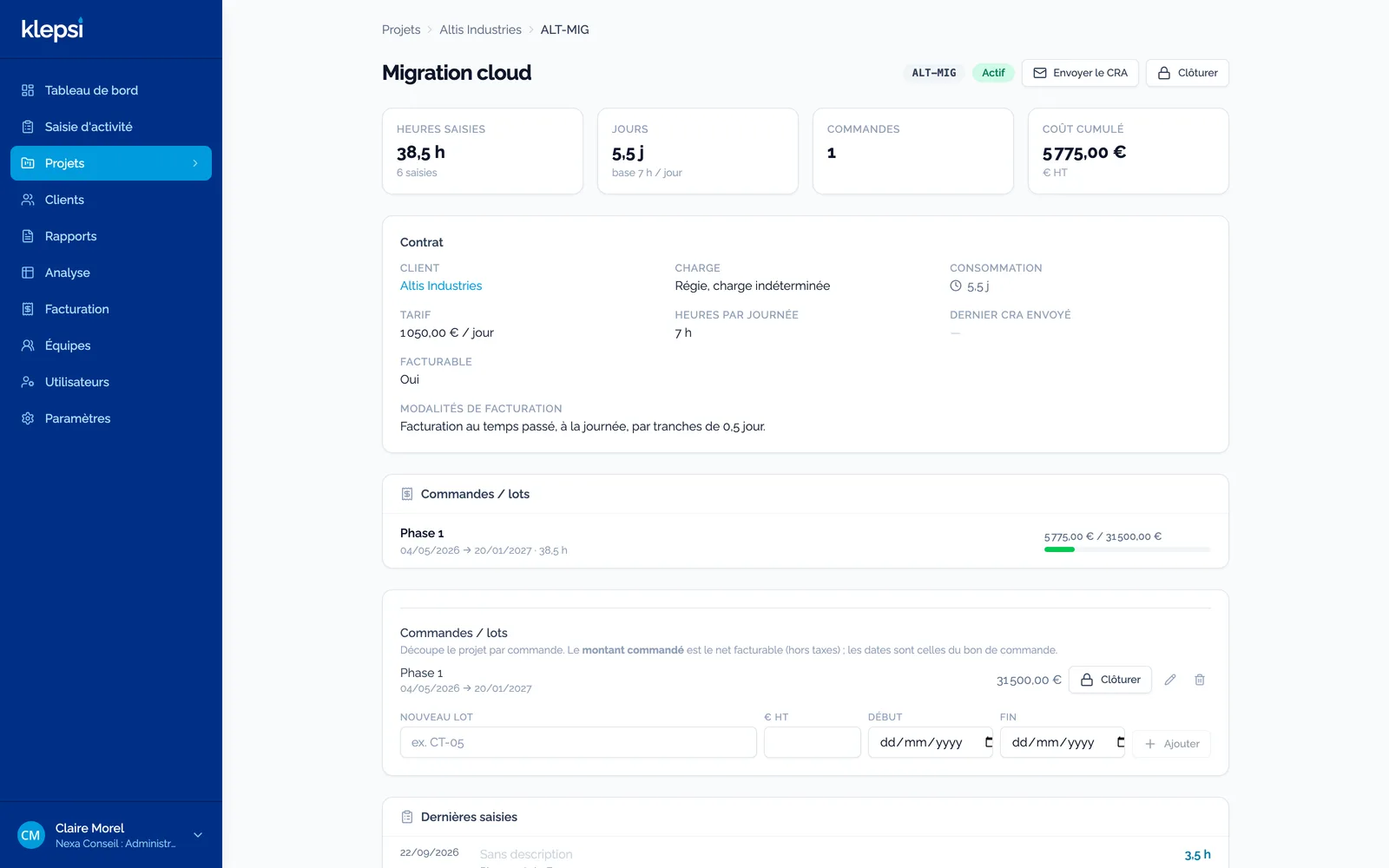
Time and materials, fixed price, prepaid pack, capped T&M: every contract type has its preset, and a project splits into orders or lots with their amount and dates. Consumed, billed, left to bill: you know where you stand before the client does.
- Alert when an order passes 80%, then 100%
- Closing a project or a lot, with a consistency check against billing
- Cross analysis by client, project, person and month
The report goes out, the invoice follows
An activity report in PDF with your branding, emailed to the client in one click with the message of your choice. In the Enterprise edition, the invoice on time spent is issued in your accounting with the period and the order number, on order, on monthly actuals or at the end of the period.
- What is left to bill, project by project, on one screen
- Pennylane connector, other accounting tools on request
- PDF, Excel and CSV reports by project or by person
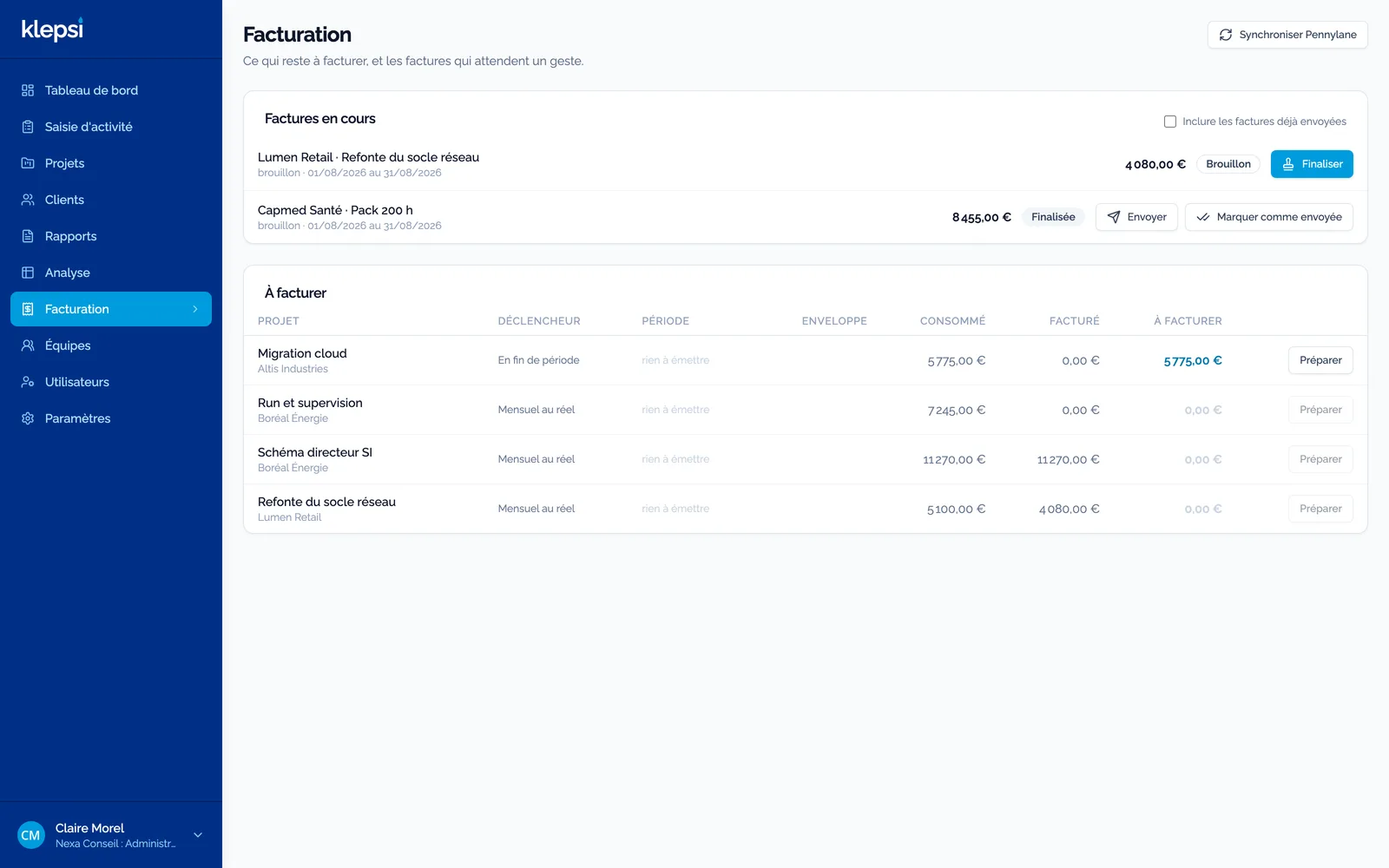
In your image, without asking us
Name, logo, colours, language, currency, entry rules, contract types, sign-in with Google, Microsoft or your directory, accounting connector, notifications: everything is set in one admin screen, tab by tab. Your data exports in one click, at any time.
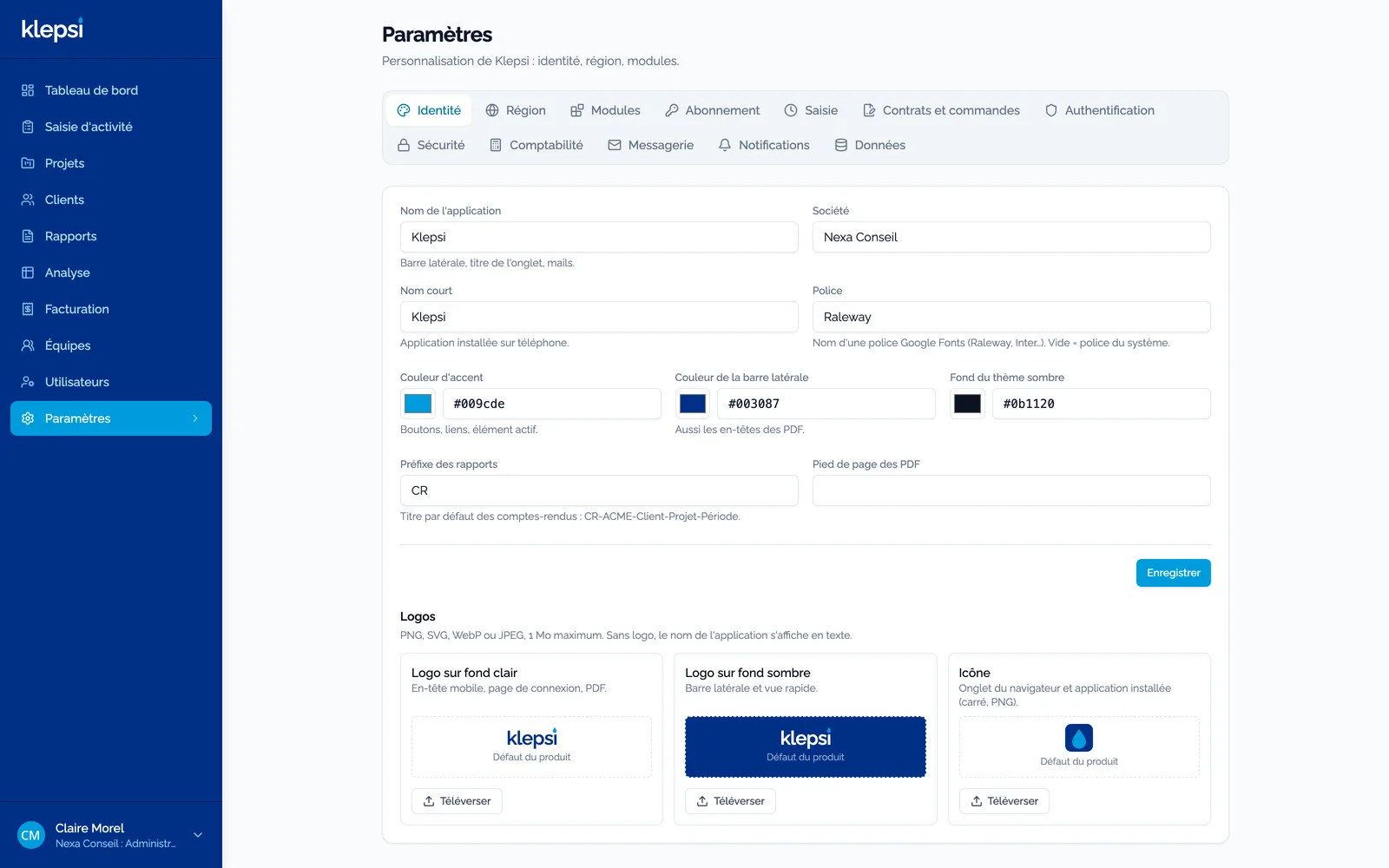
Who worked on what, and for how much
The analysis crosses your entries: one row per contract and per order, one column per month, week or person, over the period of your choice. Reports come out as PDF, Excel or CSV, by project or by person, with or without rates.
- Ready-made periods: current month, quarter, half-year, year
- Filter by client, project or person
- The activity report is generated from the same screen
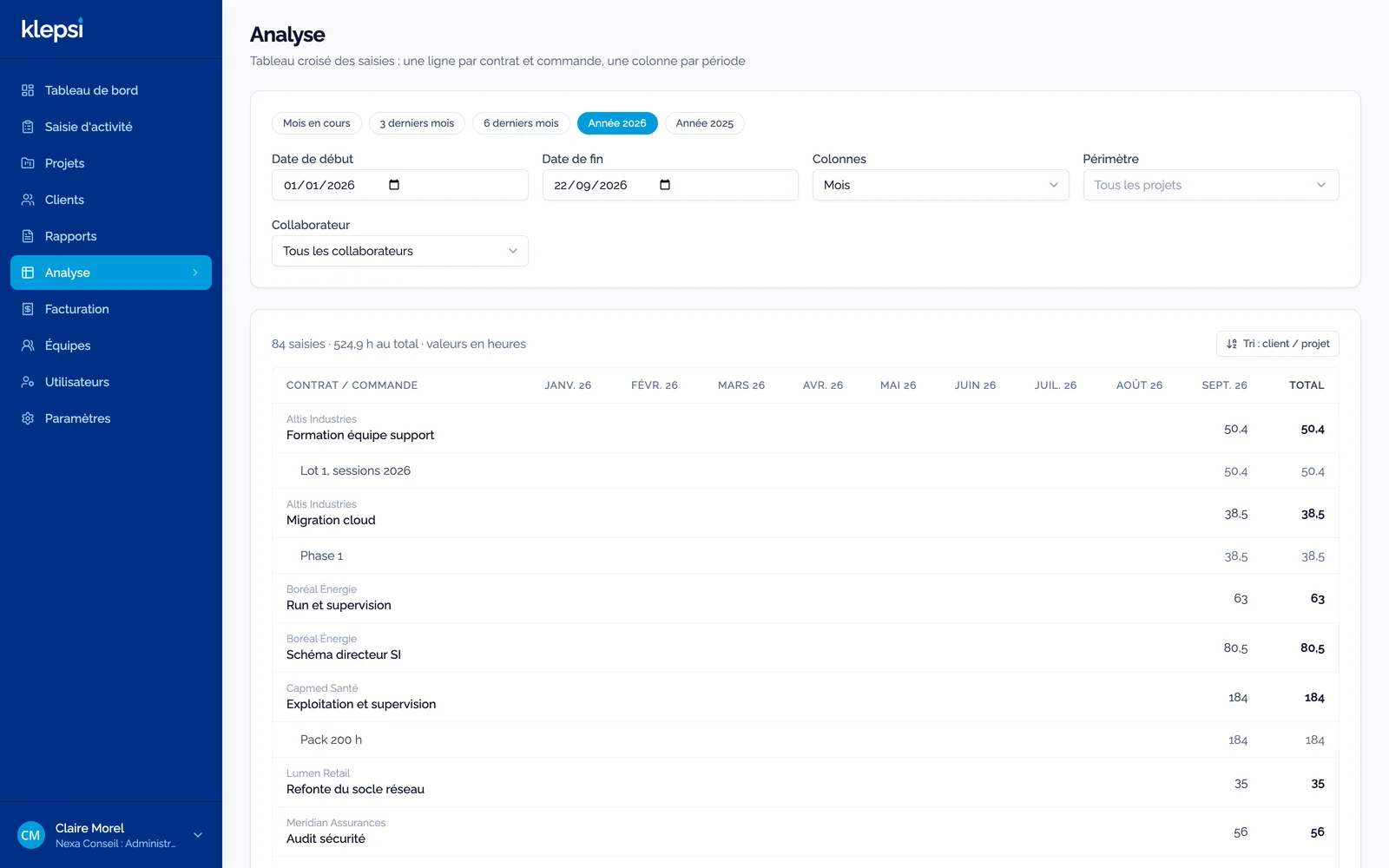
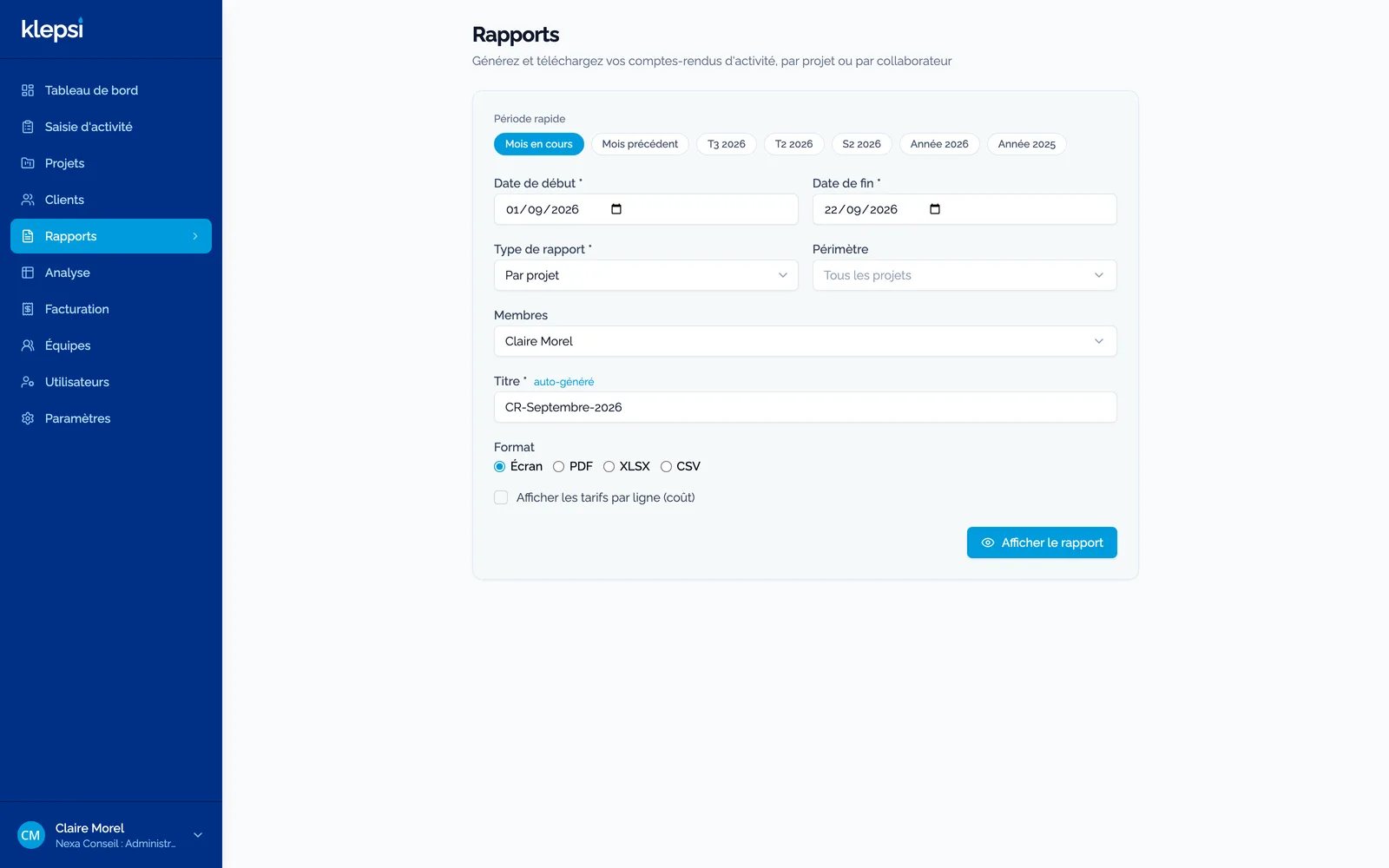
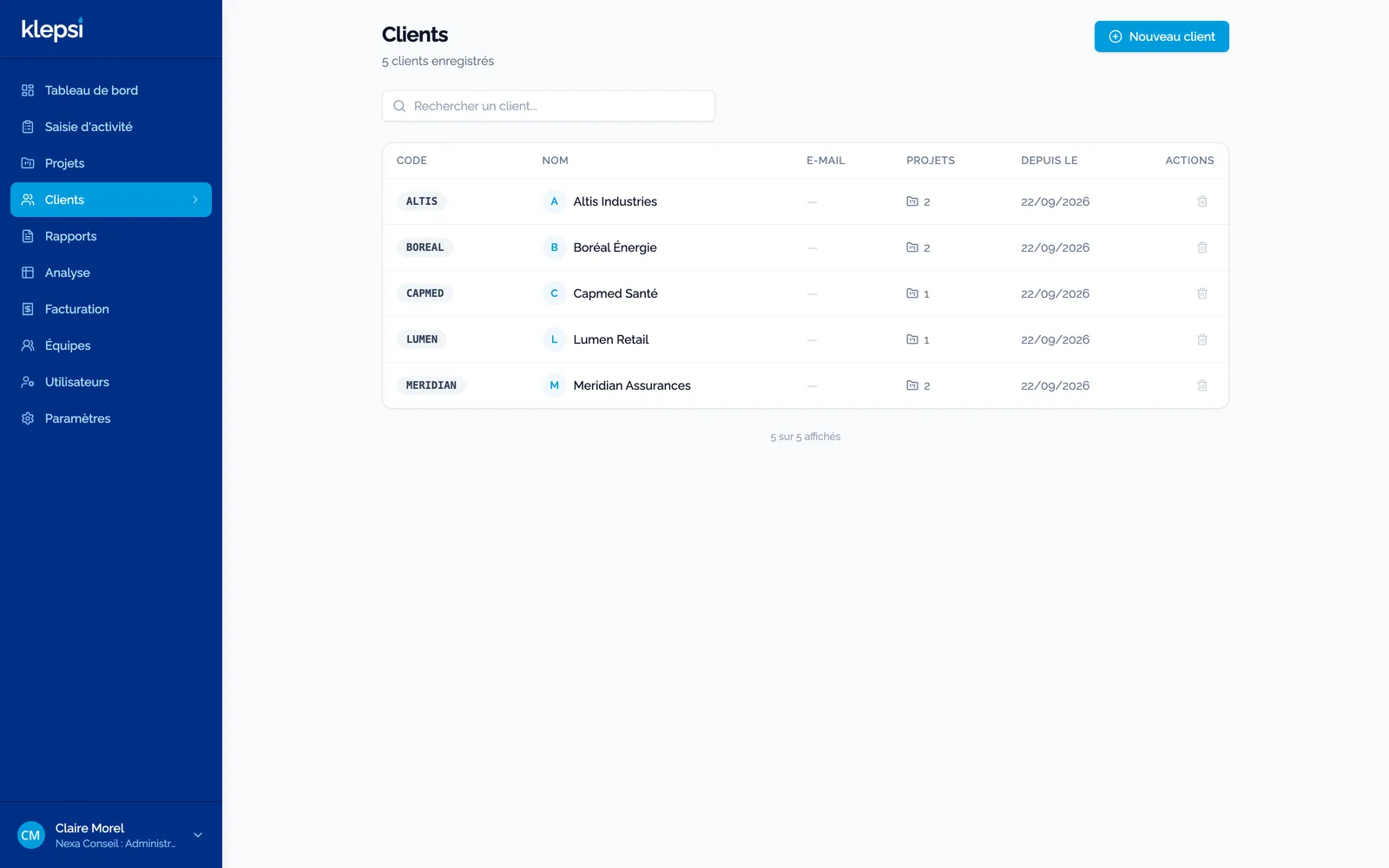
Your clients, with a short code that prefixes their projects and shows on every activity report.
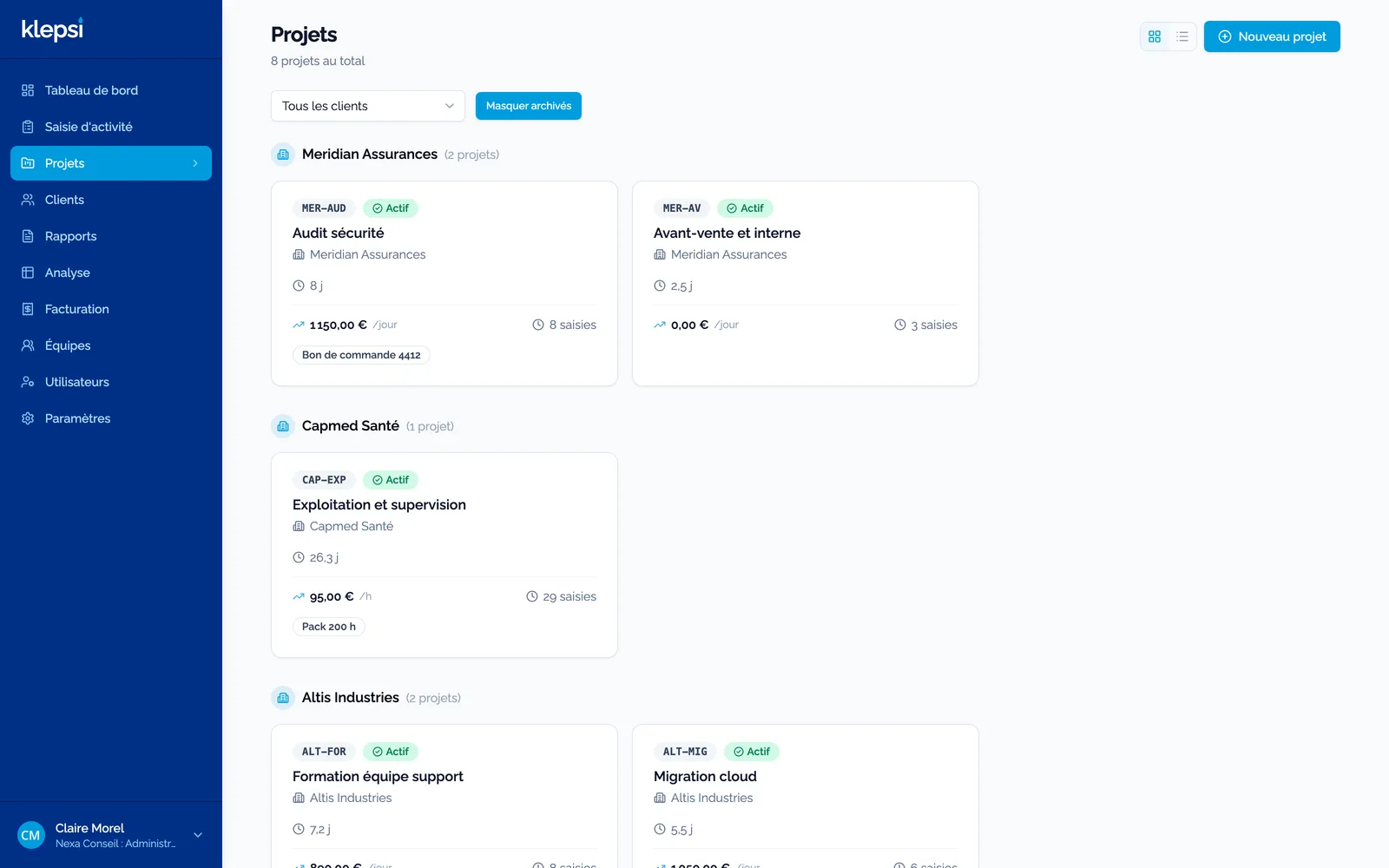
Your projects, grouped by client, with consumption, rate and the linked order, as cards or as a list.
Your tools stay your tools
Klepsi sends its invoices to the software you already use. Pennylane is connected today, the others come one by one. Without a connector, the invoice is issued as Factur-X, the format of mandatory e-invoicing in France, and the exports can be imported into most accounting tools. For everything else, Make, n8n or your own scripts plug into the webhook and the API.
Accounting and invoicing
The draft invoice is created in your tool, with the period and the order number.
- Pennylane Available
- Qonto Coming soon
- Sellsy Coming soon
- Axonaut Coming soon
- Odoo Coming soon
- Zoho Books Coming soon
- QuickBooks Coming soon
- Xero Coming soon
Without a connector
Factur-X invoice, CSV and FEC exports, ready to import into most accounting software.
- Factur-X Coming soon
- CSV export Available
- FEC export Coming soon
Automation
A webhook for each issued invoice, and an API to read your data.
- Make Coming soon
- n8n Coming soon
- Zapier Coming soon
- Read API Available
Per active user, per month
A disabled account does not count. Monthly without commitment, or yearly with a 15% discount. Prices excluding VAT.
Standard
For a team that wants to track its time and its orders, and report to its clients.
€9 / user / month
3 users minimum, card payment online
- Entries, projects, orders, teams, analysis
- PDF, Excel and CSV activity reports
- Local accounts with TOTP, sign in with Google and Microsoft
- Logo and colours, French and English
- Dedicated instance in France, backed up every night
Enterprise
For a services firm that bills on time spent and wants the tool in its own image.
€15 / user / month
10 users minimum, quote and yearly commitment, €490 onboarding
- Everything in Standard
- Billing on time spent, Pennylane connector, activity report sent to the client
- Any OpenID Connect provider, Keycloak, roles from your directory
- Full white label, API keys, Teams and Slack notifications
- Support with response time commitment and a named contact
| In detail | Standard | Enterprise |
|---|---|---|
| Track time | ||
| Weekly entry by project and by day | ✓ | ✓ |
| Quick entry on mobile, installable as an app | ✓ | ✓ |
| Copy last week, a comment on every entry | ✓ | ✓ |
| Entry rules: daily cap, required description, lock after N days | ✓ | ✓ |
| Teams and managers, entry on behalf of a colleague | ✓ | ✓ |
| Timesheet approval by the manager, with lock and reminder | ✓ | ✓ |
| Leave and absences: requests, approval, balances, public holidays | ✓ | ✓ |
| Steer projects | ||
| Clients, projects, orders and lots with an envelope | ✓ | ✓ |
| Contract type presets: time and materials, fixed price, prepaid pack, capped T&M | ✓ | ✓ |
| Consumed, billed, left to bill per order | ✓ | ✓ |
| Alerts at 80% and on overrun, by email, Teams or Slack | By email | ✓ |
| Cross analysis by client, project, person and month | ✓ | ✓ |
| Report and bill | ||
| Activity reports in PDF, Excel and CSV | ✓ | ✓ |
| Activity report emailed to the client, editable template | · | ✓ |
| Report signed by the client through a link, with a certificate | · | ✓ |
| Billing on time spent: on order, monthly actuals, at the end of the period | · | ✓ |
| Expenses with receipts, approval and rebilling to the client | · | ✓ |
| Pennylane accounting connector, others on request | · | ✓ |
| Billed periods are locked | · | ✓ |
| Accounts and security | ||
| Local accounts with one-time codes (TOTP) | ✓ | ✓ |
| Sign in with Google and Microsoft 365 | ✓ | ✓ |
| Any OpenID Connect provider, Keycloak, roles from your directory | · | ✓ |
| Password policy, session length, global sign-out | ✓ | ✓ |
| Read-only API keys (Power BI, Excel) | · | ✓ |
| Your brand, your data | ||
| Logo and colours | ✓ | ✓ |
| Full white label: font, PDF, app icon | · | ✓ |
| French and English, currency and date formats of your choice | ✓ | ✓ |
| Full export at any time, CSV import, GDPR purge | ✓ | ✓ |
| Dedicated instance, daily backup, hosted in France | ✓ | ✓ |
| Support | ||
| Help centre and email support | ✓ | ✓ |
| Support with response time commitment, named contact | · | ✓ |
| Onboarding: data import, SSO, branding, admin training | Optional | Included |
Prices exclude taxes. Trial and subscription are governed by the Klepsi subscription terms.
How it works
- You fill in the form: company, address of your workspace, edition. Two minutes.
- You confirm your email address: nothing is deployed for an address that does not exist.
- Your instance gets ready: database, backup, monitoring, domain name. You receive a link to set your password and your one-time code.
- Thirty days to decide: everything is open, your data stays yours. Then a card in Standard, a quote in Enterprise, or read-only mode.
Frequently asked questions
What is an active user?
A person whose account is active in your instance. A disabled account no longer counts. The number is read every night and the invoice follows, pro rata.
Where is my data?
In an instance of your own, with its own database, hosted in France at OVHcloud and backed up every night. You can export everything at any time, as CSV, from the Settings screen.
What happens at the end of the trial?
Nothing is deleted. You choose an edition and a payment method, or your instance switches to read-only: you can still browse and export, not enter time.
Can I change edition?
Yes, at any time, both ways. Enterprise features open or close, your data stays.
What if we already have an invoicing tool?
Klepsi produces the activity reports and, in the Enterprise edition, issues the invoice in Pennylane. Other accounting connectors are added on request. Without a connector, the Excel export is enough to prepare the invoice elsewhere.